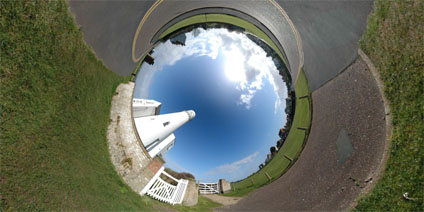
Continuing the ‘why am i sat in the basement theme’ of the previous post we present ‘The Lighthouse’.
All we now need is an ice cream van and we are virtually there..
Continuing the ‘why am i sat in the basement theme’ of the previous post we present ‘The Lighthouse’.
All we now need is an ice cream van and we are virtually there..
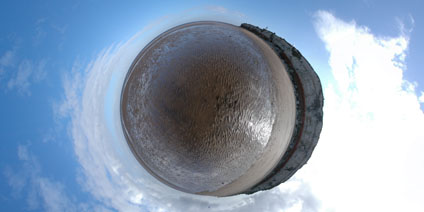
On a hot summers day when your stuck in the basement of a research lab ones mind can occasionally turn to outside the city. Thus the inclusion of a beach panorama to Digital Urban.
It may not be urban but it sure looks better than the basement at the moment…
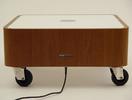
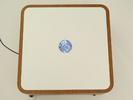
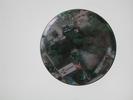
A while ago UCL built a ‘Drift Table’ pictured above that allowed the user to float slowly over high resolution imagery of the United Kingdom. Google Earth has changed many concepts of digital geography one of which is the ability to ‘drift’ over the globe without a high powered table from Computer Science.
One of my favourite, if frivolous, uses of Google Earth is to use a flick of the mouse while dragging to set Google Earth on a slow drift. It works best if you hover to about 600 metres, add a slight tilt to the view and then set it running.
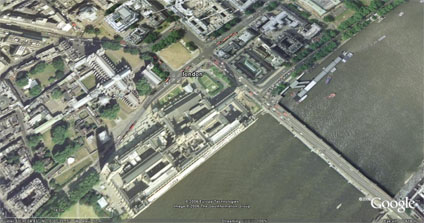
Its a complete waste of bandwidth of course but if run Google Earth in full screen mode and combine it with a 40 inch monitor it creates a great talking point as the high resolution imagery floats on a random path around the globe.
Maybe its just me… but its kind of neat to have your own drift monitor to look up to now and again to see where on earth the image is from. The next scale up would be to mount the monitor in a table and create the ultimate office/home talking point….
A while ago UCL built a ‘Drift Table’ pictured above that allowed the user to float slowly over high resolution imagery of the United Kingdom. Google Earth has changed many concepts of digital geography one of which is the ability to ‘drift’ over the globe without a high powered table from Computer Science.
One of my favourite, if frivolous, uses of Google Earth is to use a flick of the mouse while dragging to set Google Earth on a slow drift. It works best if you hover to about 600 metres, add a slight tilt to the view and then set it running.
Its a complete waste of bandwidth of course but if run Google Earth in full screen mode and combine it with a 40 inch monitor it creates a great talking point as the high resolution imagery floats on a random path around the globe.
Maybe its just me… but its kind of neat to have your own drift monitor to look up to now and again to see where on earth the image is from. The next scale up would be to mount the monitor in a table and create the ultimate office/home talking point….