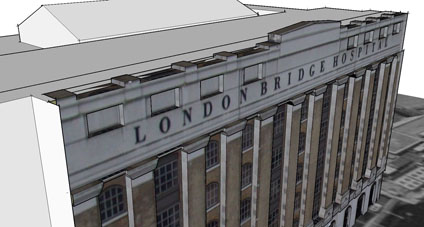
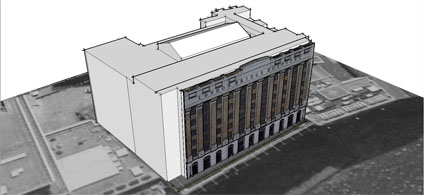
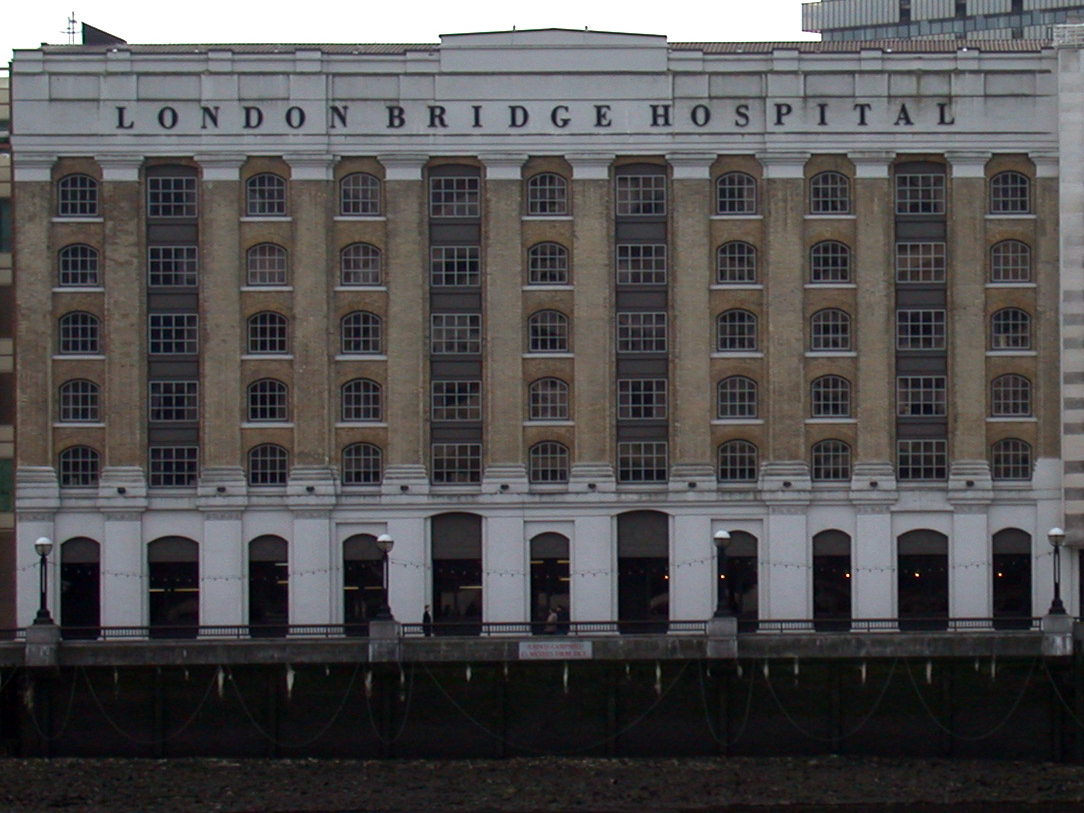
With our placement problems resolved (thanks to the comment from stfn in the previous post) we have uploaded a model of London Bridge Hospital. The model was created as a test a while ago with placing textures in Sketchup to extrude models from.
Photomodelling in Sketchup is quick and intuitive but does not provide accurate height measurement which is why we are developing a photo rectification tool to improve on this. In the mean time we have provided the facade photo (655k)we used for modeling so you can have a go yourself at creating the model, let us know how you get on or if its a help.
Maybe we need to do a ‘tutorial’ section on this so any feedback is welcome as ever.
You can download the kmz file to fly into the model in Google Earth here (660k)
With our placement problems resolved (thanks to the comment from stfn in the previous post) we have uploaded a model of London Bridge Hospital. The model was created as a test a while ago with placing textures in Sketchup to extrude models from.
Photomodelling in Sketchup is quick and intuitive but does not provide accurate height measurement which is why we are developing a photo rectification tool to improve on this. In the mean time we have provided the facade photo (655k)we used for modeling so you can have a go yourself at creating the model, let us know how you get on or if its a help.
Maybe we need to do a ‘tutorial’ section on this so any feedback is welcome as ever.
You can download the kmz file to fly into the model in Google Earth here (660k)
We were about to release a few of our older photomapped models and encountered a problem with placing the models in Google Earth. Using the standard Sketchup technique of grabbing a Google Earth location and then exporting results in a model a good 20 metres out of place.
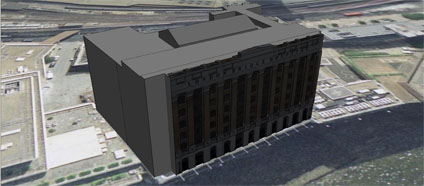
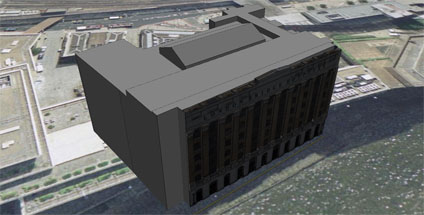
Its all nicely lined up in Sketchup via Google Earth but when the files loaded its shifted. Terrain is on so the only thing we can think of is a slight bug somewhere in the process.
Any thoughts would be welcome.. and while we are here the lighting model in Google Earth looks like it needs a bit of a tweak to make sure the buildings are evenly lit. Its clear from our screengrab that the textures are coming in dark if they are facing north…..
There are times (albeit few and far between) when a new software package arrives on your desk that makes you sit back and smile. VTour by RealViz is one of those packages, simple to use with results that far out weigh the time spent producing them.
VTour is the latest in a series of software from RealViz aimed at the 3D Modelling/Panorama market to produce Virtual Tours. In essence it takes in 360×180 degree panoramas and allows the user to calibrate the scene in 3D.
A series of primitives can then be added to the scene allowing a model to be created and textured from the photograph. Once complete, the model is exported via a Shockwave viewer to allow free navigation or a movie with a pre-rendered flight path.
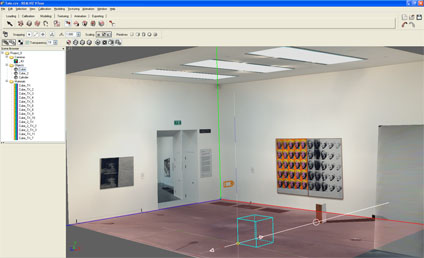
To illustrate this we have posted below, via YouTube, a 3D model of the Andy Warhol room in the Tate Modern. The scene, produced to show a quick example, took under 30 minutes to calibrate and model.
Indoor scenes are easy to calibrate whereas outdoor scenes are slightly more problematic. The RealViz website has a number of examples which are well worth viewing, especially the view of Oxford University. We have not however been able to replicate the quality of these models with our outdoor panoramas as the modelling seems to be suitable for certain types of scenes. We plan to add some more examples over the coming month as we get to grips with the tools.
So all well and good, until you get over the wow factor and then realise you cant export to any other 3D modelling package and can only work with a single panorama. We understand that VTour is not a high end modelling package, for that you need to go for Image Modeller, it just seems a shame that it has so much potential only to leave the modeller wanting more.
We recommend that you download their trial version and have a go yourself. Let us know how you get on and we will share your results. If Realviz can add some export options and the ability to model from multiple panoramas then VTour would become essential to anyone creating panoramas or virtual tours. At the moment its a one trick pony – but what a trick!